
ros-robotics 原文存档
ROS KDL库学习一:坐标系变换
一,先操作看结果
`sudo apt-get install ros-<distro>-orocos-kdl mkdir -p roskdl/src cd roskdl catkin_make cd src catkin_create_pkg kdl1 rospy tf geometry_msgs mkdir script cd script gedit kdl1.py chmod +x kdl1.py`kdl1.py如下
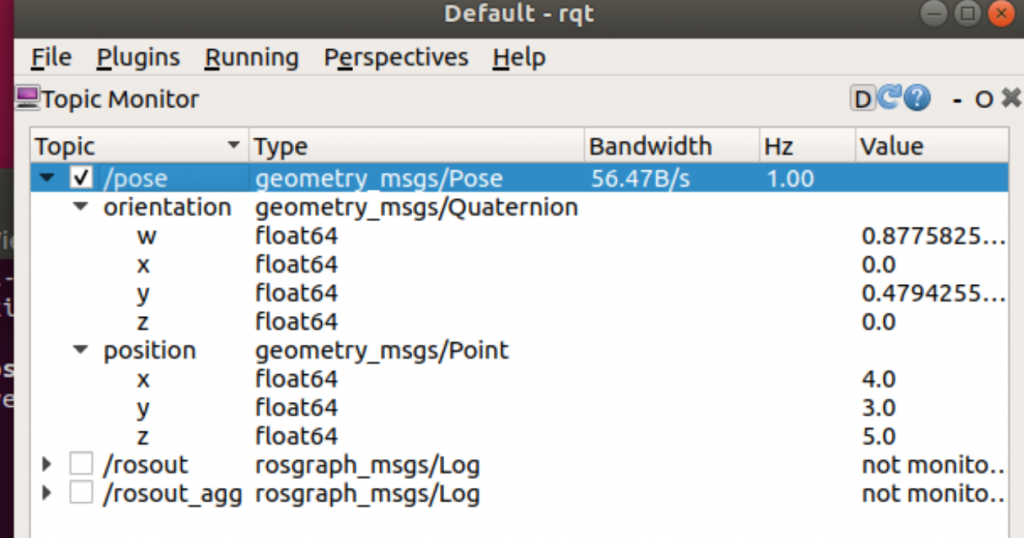
`#! /usr/bin/env python import rospy import PyKDL from tf_conversions import posemath from geometry_msgs.msg import Pose # you have a Pose message pose = Pose() pose.position.x = 1 pose.position.y = 1 pose.position.z = 1 pose.orientation.x = pose.orientation.y = pose.orientation.z = 0 pose.orientation.w = 1 # convert the pose into a kdl frame f1 = posemath.fromMsg(pose) # create another kdl frame f2 = PyKDL.Frame(PyKDL.Rotation.RPY(0,1,0), PyKDL.Vector(3,2,4)) # Combine the two frames f = f1 * f2 print f [x, y, z, w] = f.M.GetQuaternion() print x,y,z,w # and convert the result back to a pose message pose = posemath.toMsg(f) pub = rospy.Publisher('pose', Pose, queue_size=1) rospy.init_node('test', anonymous=True) rate = rospy.Rate(1) # 1hz while not rospy.is_shutdown(): pub.publish(pose) rate.sleep()`查看数据
`rroros rostopic echo /pose rqt`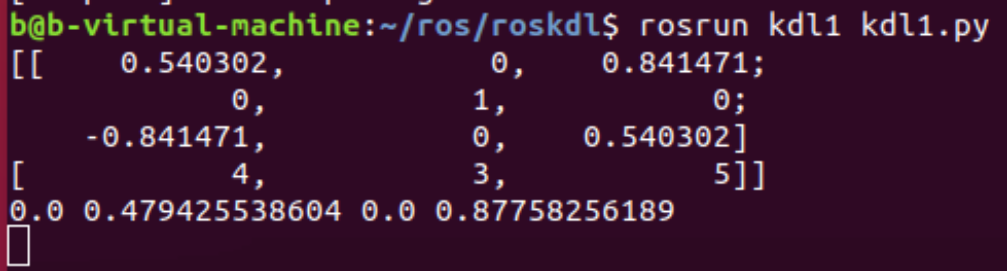
二,kdl讲解
https://www.cnblogs.com/21207-iHome/p/8312854.html